.svg)
Protecting your business from email threats is more important than ever. With phishing, malware, and data loss risks on the rise, finding the right email protection software is a must. In this blog, you’ll learn what email protection software is, how it works, and which features matter most. We’ll cover how AI is changing email security, common mistakes to avoid, and practical tips for choosing and using the best solutions. You’ll also find answers to common questions about safeguarding your inboxes, dealing with advanced threats, and simplifying your approach to email security.
[.c-button-wrap2][.c-button-main2]Contact Us[.c-button-main2][.c-button-wrap2]
Understanding email protection software
Email protection software is designed to keep your business safe from cybercriminals who use email to attack. It acts as a shield, blocking spam, phishing attempts, and malicious attachments before they reach your inbox. This type of software is a key part of any business’s security solutions, helping you avoid data breaches and keep sensitive information secure.
Most email protection software works by scanning incoming and outgoing messages for signs of threats. It uses advanced threat detection, threat intelligence, and machine learning to spot suspicious behaviour. By filtering out harmful emails and stopping advanced threats, these tools help you maintain a secure email environment and protect your business from costly incidents.
Top mistakes to avoid with email protection software
Even with the best software, mistakes can leave you exposed. Here are some common pitfalls and how to avoid them.
Not enabling email security features
Many businesses install email protection software but don’t turn on all the available features. This can leave gaps in your defences. Make sure you activate anti-phishing, spam filter, and email encryption software options to get full protection.
Ignoring regular updates
Outdated software can’t defend against the latest threats. Always keep your email security software updated so it can recognise new types of malware and advanced threats.
Overlooking user training
Even the best security tool can’t stop every attack if users aren’t careful. Train your staff to spot phishing attacks and suspicious emails. This reduces the risk of human error.
Relying on a single layer of defence
Using just one security solution isn’t enough. Combine email protection software with other cybersecurity measures, like firewalls and endpoint protection, for comprehensive protection.
Failing to monitor and respond to threats
Don’t just set up your software and forget it. Regularly review threat reports and respond to threats quickly. This helps you stay ahead of attackers and minimise damage.
Not customising settings for your business
Every business is different. Adjust your email protection software settings to match your needs, such as filtering rules for specific departments or users.
Skipping incident response planning
If an attack does get through, you need a plan. Make sure you know how to respond to threats, recover data, and notify the right people.
Essential features of email protection software
When choosing email protection software, look for these key features:
- AI-powered detection to spot new and sophisticated threats
- Real-time spam and phishing protection for all inboxes
- Email encryption to safeguard sensitive data
- Cloud-based management for easy updates and scalability
- Automated response to quickly deal with incidents
- Detailed reporting and threat intelligence for better decision-making

The role of AI and advanced threat protection
AI is changing how businesses defend against email threats. Modern email protection software uses AI-powered algorithms to detect patterns that humans might miss. This means it can spot phishing attempts, impersonation, and even business email compromise (BEC) before they cause harm.
Advanced threat protection goes beyond basic spam filtering. It uses sandboxing to safely open suspicious attachments and analyse their behaviour. This helps block ransomware, malicious links, and other advanced threats that traditional tools might miss. By combining AI with threat intelligence, your business can stay ahead of attackers and keep email communications secure.
How to choose the right email protection software
Picking the best email protection software for your business can be tricky. Here’s what to consider.
Assess your email environment
Start by understanding your current email system. Are you using cloud email security or on-premises servers? Knowing this helps you find a solution that fits your setup.
Check for integration with existing tools
Your new software should work smoothly with your current security tools, like firewalls or endpoint protection. This ensures a seamless approach to email security.
Look for comprehensive protection
Choose a solution that covers all types of email threats, including phishing, malware, and data loss. Comprehensive protection reduces the risk of gaps in your defences.
Evaluate threat management capabilities
Good email protection software should offer threat management features, such as real-time alerts and automated response. This helps you react quickly to incidents.
Consider compliance and data privacy
If your business deals with sensitive data, make sure your software supports compliance with regulations. Features like DLP (data loss prevention) and email archiving can help you meet legal requirements.
Review support and updates
Choose a provider that offers regular updates and responsive support. This keeps your defences strong as new threats emerge.
Test usability and reporting
The software should be easy to use and provide clear reports. Good reporting helps you understand your security posture and make informed decisions.

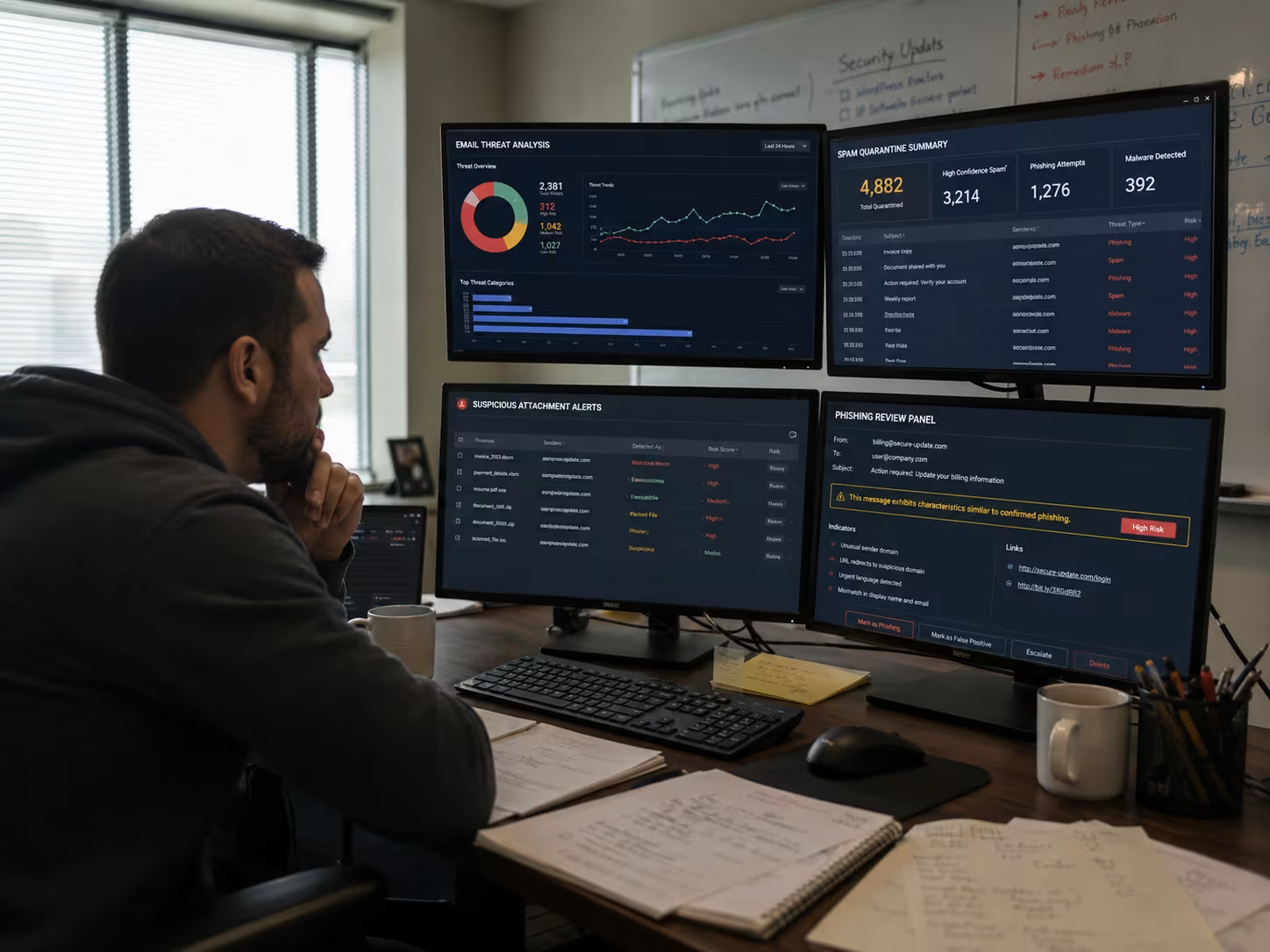
IT specialist using email protection software
Practical steps for implementing email protection software
Rolling out email protection software doesn’t have to be complicated. Start by identifying the most critical inboxes and users in your business. Prioritise these for immediate protection. Next, configure your security settings to match your business needs, such as custom filtering rules or automated responses for certain types of threats.
It’s important to train your staff on how the new software works and what to do if they spot a suspicious email. Regularly review your threat reports and adjust your settings as needed. By taking these steps, you can simplify your approach to email security and safeguard your business from evolving threats.
Best practices for using email protection software
To get the most from your email protection software, follow these best practices:
- Update your software regularly to defend against new threats
- Train users to recognise phishing and suspicious emails
- Use multi-factor authentication for added security
- Monitor threat reports and respond quickly to incidents
- Customise settings for your business needs
- Review and test your incident response plan regularly
Sticking to these practices helps you stay protected and ready for any email threat.
How Sonar IT can help with email protection software
Are you a business managing 15-40 endpoints and looking to improve your email security? As your business grows, protecting your email system from advanced threats becomes even more important. Our team understands the unique challenges faced by businesses like yours and can help you find the right email protection services to match your needs.
We know that dealing with sensitive data and responding to threats quickly is critical. Sonar IT offers tailored solutions, ongoing support, and expert advice to keep your business safe. Contact us today to see how we can help you safeguard your email communications and simplify your security approach.
[.c-button-wrap2][.c-button-main2]Contact Us[.c-button-main2][.c-button-wrap2]
Frequently asked questions
What is the difference between email security and general cybersecurity?
Email security focuses on protecting your email environment from threats like phishing and spam, while cybersecurity covers all aspects of digital protection. Email security tools are designed to stop email-specific attacks, such as business email compromise and impersonation, which are common entry points for attackers.
General cybersecurity includes broader measures like firewalls, endpoint protection, and network monitoring. Combining both approaches ensures your business is protected from a wide range of cyber threats and data breaches.
How does AI-powered email security improve threat detection?
AI-powered email security uses machine learning to analyse patterns and spot advanced threats that traditional filters might miss. This technology can detect subtle signs of phishing attacks, malicious attachments, and sophisticated impersonation attempts.
By learning from new threats, AI systems adapt quickly and provide better protection for your inboxes. This helps businesses stay ahead of attackers and reduce the risk of data loss or ransomware incidents.
What are the benefits of using a cloud-based email security solution?
A cloud-based email security solution offers flexibility and easy management, especially for businesses with remote or distributed teams. It allows you to update security settings and monitor threats from anywhere, without the need for on-premises hardware.
Cloud email security also provides automatic updates, ensuring your defences stay current against the latest malware and phishing threats. This approach simplifies security management and supports business growth.
How can I protect sensitive data in email communications?
To protect sensitive data, use email encryption software and DLP features in your email protection software. Encryption ensures that only authorised recipients can read your messages, reducing the risk of data loss.
DLP tools scan outgoing emails for confidential information and prevent accidental sharing. These features are essential for businesses dealing with sensitive data or regulated industries.
Why is sandboxing important in email protection software?
Sandboxing allows email protection software to safely open and analyse suspicious attachments or links in a controlled environment. This helps detect malware and advanced threats without risking your main system.
By isolating potential threats, sandboxing adds an extra layer of defence against ransomware, malicious files, and zero-day attacks. It’s a key feature for comprehensive protection.
What should I do if my business faces an email spoofing or impersonation attack?
If you suspect email spoofing or impersonation, act quickly by alerting your IT team and reviewing your email authentication settings. Use email security software with anti-phishing and threat intelligence features to block further attacks.
Educate your staff to recognise suspicious emails and report them immediately. Regular training and strong security policies help safeguard your business against these types of email attacks.





%20(1)%20(1).avif)


