.svg)
What Is Mobile Device Management? Key Components & Benefits for Mobile Devices
Managing mobile devices is now a key part of running any business, especially with more staff using smartphones and tablets for work. In this blog, you'll learn what mobile device management is, why it matters, and how it helps keep your company data safe. We'll cover the main components of an MDM solution, the benefits of MDM software, and practical steps for managing a bring your own device policy. You'll also discover how unified endpoint management platforms can help you manage mobile devices and enforce security policies across your business.
What is mobile device management?
Mobile device management (MDM) is a system that lets you control, monitor, and secure smartphones, tablets, and other mobile devices used for work. It helps businesses make sure only approved devices can access company data and that these devices follow set security rules. With more employees working remotely or using their own devices, MDM is essential for protecting sensitive information and keeping your IT environment safe.
MDM works by installing software on each device, which gives your IT team the ability to manage settings, update apps, and wipe data if a device is lost or stolen. This makes it easier to support a mix of company-owned and personal devices, and ensures everyone follows the same security standards. For businesses in London and across the UK, using an MDM solution is often required to meet data protection regulations and reduce security risks.

Common mistakes to avoid when setting up mobile device management
Getting started with mobile device management can be tricky. Here are some common mistakes businesses make and how you can avoid them.
Mistake #1: Ignoring device diversity
Many companies forget that employees use a wide range of mobile devices, each with different operating systems and features. If your MDM software only supports certain devices, you may leave gaps in your security. Make sure your solution works with all the devices your team uses.
Mistake #2: Weak security policies
Some businesses set up MDM but fail to enforce strong security policies. Without clear rules for passwords, app downloads, and data sharing, your devices are still at risk. Always set strict policies and review them regularly.
Mistake #3: Overlooking employee training
Even the best MDM tool won't help if staff don't know how to use it. Skipping training leads to mistakes and security risks. Take time to show everyone how to use their devices safely and what to do if something goes wrong.
Mistake #4: Not updating software
Outdated MDM software can have security holes. Make sure you keep your management tools and device operating systems up to date to protect against new threats.
Mistake #5: Failing to plan for lost devices
Losing a mobile device is common, but not having a plan can be costly. Your MDM system should let you lock or wipe lost devices quickly to keep company data safe.
Mistake #6: Ignoring compliance needs
Businesses in the UK must follow strict data protection laws. Not setting up your MDM to meet these rules can lead to fines. Always check that your system helps you stay compliant.
Essential features of mobile device management
A good MDM solution should offer these key features:
- Remote device locking and data wiping for lost or stolen devices
- Centralised control of app installations and updates
- Enforcing security policies like password strength and encryption
- Monitoring device usage and reporting on security risks
- Support for both company-owned and personal devices (BYOD) setups
- Easy integration with existing IT systems and content management tools
Why mobile device management is important for business security
Mobile device management is important because it protects your business from data leaks, cyberattacks, and unauthorised access. As more employees use mobile endpoints to access company systems, the risk of data loss or theft increases. MDM helps you keep control by letting you set rules for device use, monitor activity, and respond quickly if something goes wrong.
With a reliable software solution, you can also support flexible work arrangements, like remote work or bring your own device schemes, without sacrificing security. This is especially important for businesses that handle sensitive information or must follow strict industry regulations. By using MDM, you show customers and partners that you take security seriously.
Key components of mobile device management systems
A strong mobile device management system includes several important parts. Here’s what you should look for:
Component #1: Device enrolment
This is the process of adding new mobile devices to your management system. It should be quick and simple, so staff can get started without delays. Good device enrolment supports both company-owned and personal devices.
Component #2: Policy enforcement
Your MDM tool should let you set and enforce security policies across all devices. This includes rules for passwords, app usage, and data sharing. Enforcing these policies helps reduce security risks.
Component #3: App management
Managing which apps can be installed or used on work devices is key. Your system should allow you to approve, update, or remove apps remotely, keeping devices secure and up to date.
Component #4: Remote monitoring and support
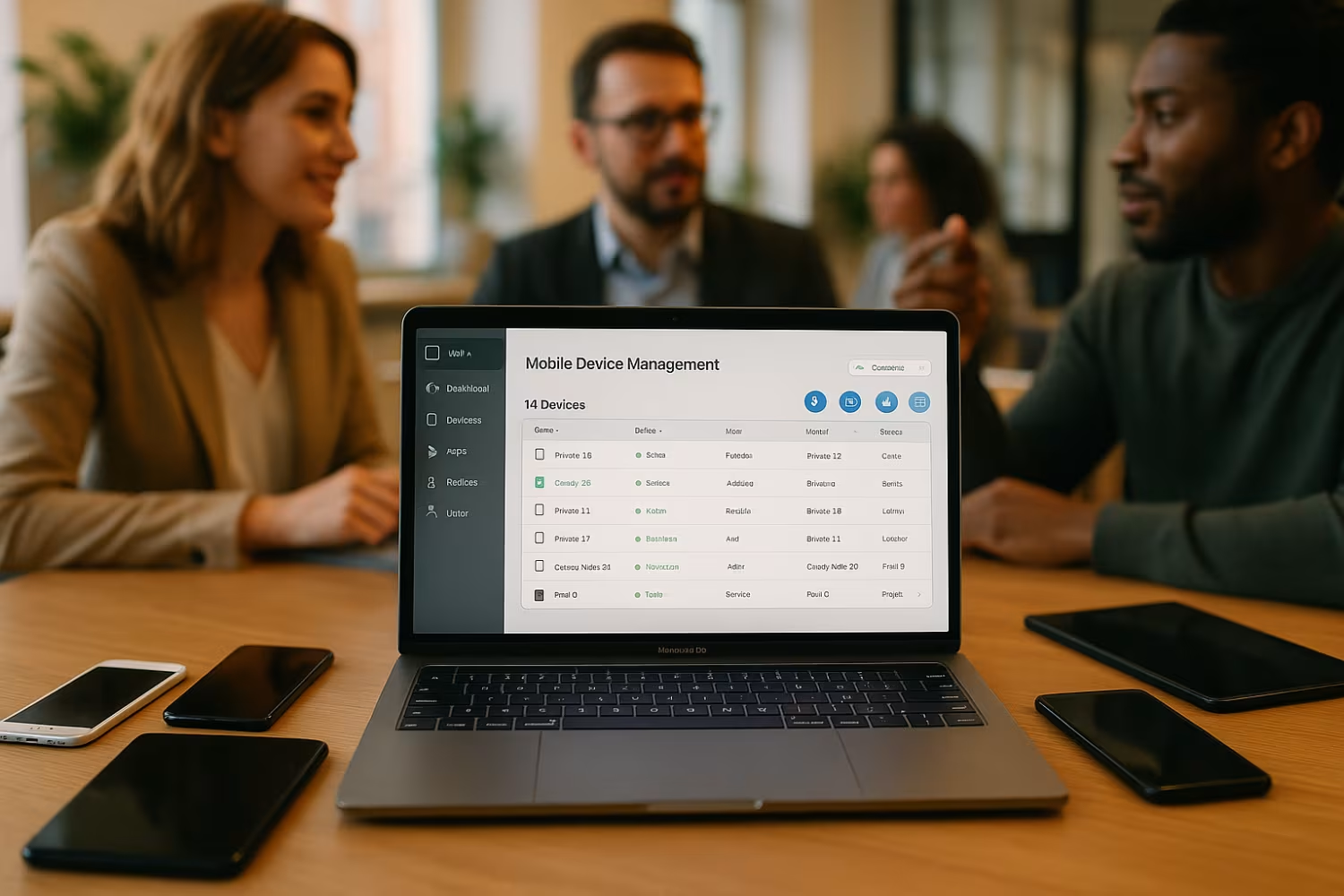
MDM lets your IT team monitor device health, usage, and security status from a central dashboard. If issues come up, they can provide support or take action without needing the device in hand.
Component #5: Data protection and backup
Protecting business data is vital. Look for features that let you back up important files, encrypt data, and wipe information from lost or stolen devices.
Component #6: Reporting and compliance tools
Your MDM system should provide reports on device usage, security incidents, and compliance with regulations. This helps you spot problems early and prove you’re meeting legal requirements.

Practical steps for implementing mobile device management
Rolling out MDM in your business takes planning. Start by listing all mobile devices that need to be managed, including both company-owned and personal devices. Next, choose an MDM solution that supports your devices and meets your security needs.
Work with your IT team to set clear security policies and make sure everyone understands them. Train staff on how to use their devices safely and what to do if they lose a device or spot something suspicious. Keep your MDM software updated and review your policies regularly to stay ahead of new threats.
Best practices for using mobile device management
Follow these tips to get the most from your MDM system:
- Review and update security policies at least twice a year
- Train staff on safe device use and reporting lost devices
- Use strong passwords and enable device encryption
- Limit app installations to approved options only
- Monitor device activity for signs of misuse or security risks
- Regularly back up important business data
Sticking to these best practices helps keep your business safe and your devices running smoothly.

How Sonar IT can help with mobile device management
Are you a business managing 15-40 endpoints and looking for a better way to secure your mobile devices? If your company is growing and you want to protect your data without slowing down your team, we can help. Our team understands the challenges of managing mobile devices and can guide you through every step, from choosing the right MDM solution to setting up security policies and training your staff.
We know that keeping your business safe is a top priority. That’s why we offer reliable systems and ongoing support to make sure your devices stay secure and compliant. Contact us today to find out how Sonar IT can help you manage your mobile devices with confidence.
Frequently asked questions
What types of mobile devices can be managed with MDM?
You can manage a wide range of mobile devices, including smartphones, tablets, and even laptops, with most MDM solutions. These systems support different operating systems such as iOS, Android, and Windows, making it easy to manage both company-owned and personal devices in one place.
By enrolling all your mobile endpoints, you can apply consistent security policies and monitor device activity from a central platform. This helps protect your business data, no matter what devices your team uses.
How does mobile device management software protect business data?
Mobile device management software protects business data by enforcing security policies like password requirements, encryption, and remote data wiping. It also allows you to control which apps can be installed and ensures devices are running the latest updates.
With a good MDM tool, you can respond quickly if a device is lost or stolen, reducing the risk of data breaches. This is especially important for businesses handling sensitive information or working in regulated industries.
What are the main components of mobile device management?
The main components of mobile device management include device enrolment, policy enforcement, app management, remote monitoring, and data protection. Each part plays a role in keeping your devices secure and compliant.
A strong MDM solution also offers reporting tools to track device usage and spot potential security risks. This makes it easier to manage your IT environment and meet regulatory requirements.
Why is mobile device management important for bring your own device policies?
Mobile device management is important for bring your own device (BYOD) policies because it lets you separate business and personal data on the same device. This helps protect company information without invading employee privacy.
By using an MDM platform, you can enforce security policies on personal devices and ensure only approved apps are used for work. This keeps your business data safe while supporting flexible work arrangements.
What features should I look for in MDM software?
When choosing MDM software, look for features like remote device locking, app management, policy enforcement, and data encryption. Support for multiple operating systems and easy integration with your existing IT systems are also important.
A good MDM tool should offer clear reporting, simple device enrolment, and strong support for both company-owned and personal devices. This ensures your devices stay secure and easy to manage.
How does MDM help reduce security risks?
MDM helps reduce security risks by letting you enforce rules for device use, monitor activity, and respond quickly to lost or stolen devices. It also ensures all devices follow the same security standards, reducing the chance of data leaks.
By using a unified endpoint management system, you can keep track of all your mobile devices and make sure they stay compliant with company policies. This lowers the risk of cyberattacks and keeps your business data safe.



%20(1)%20(1).avif)


